The home base for your Hermes Agent.

Kira runs at your place – on your Windows PC or Linux server – and turns Hermes Agent into a workspace: chat, approvals, trading analysis, coding teams, calendar and your AI subscriptions at a glance. On your PC and on your phone.

Not available for download yet – Kira is coming soon.

KIRA KIRA Hermes Workspace Hermes Workspace

Named after Kira, a French Bulldog.

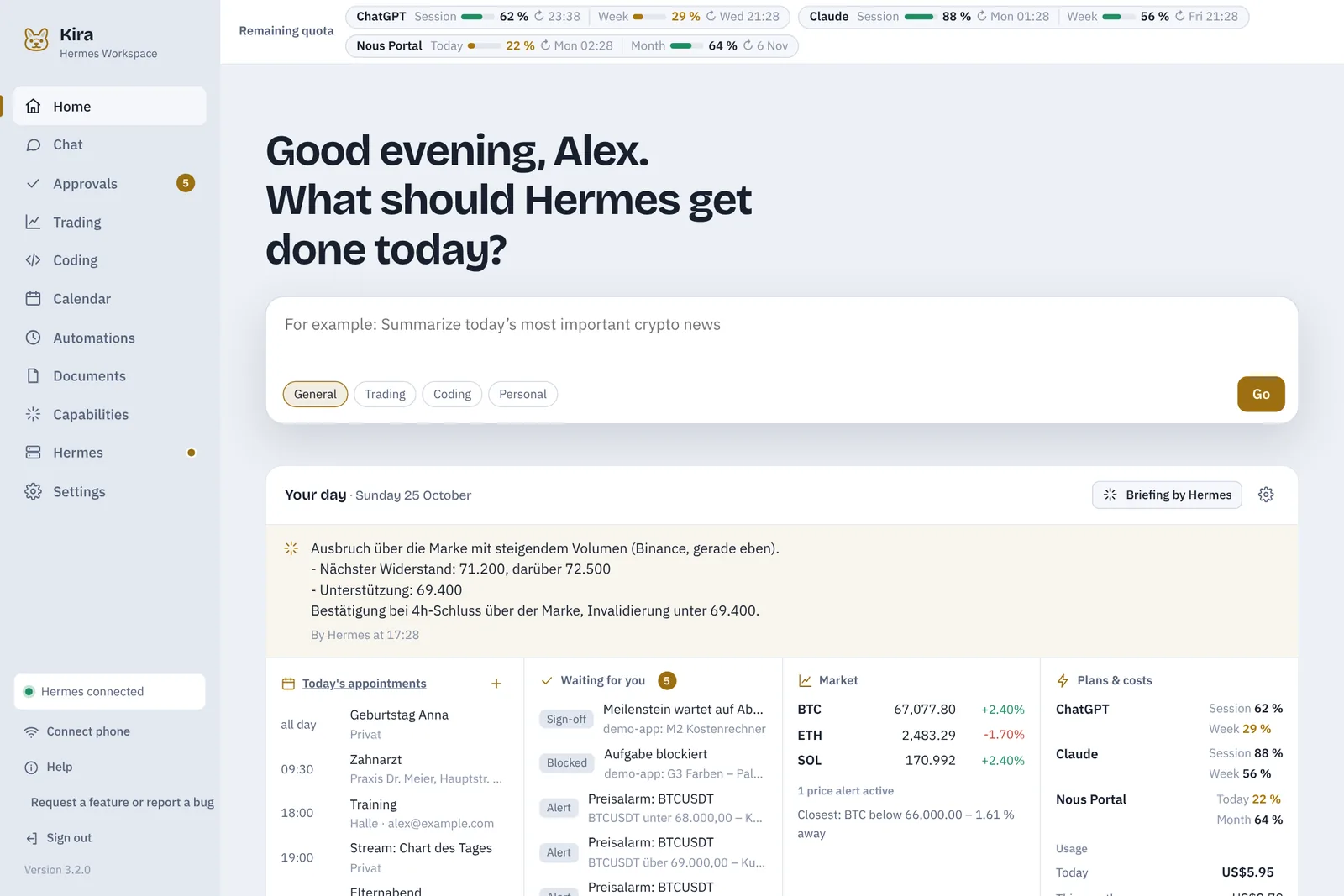
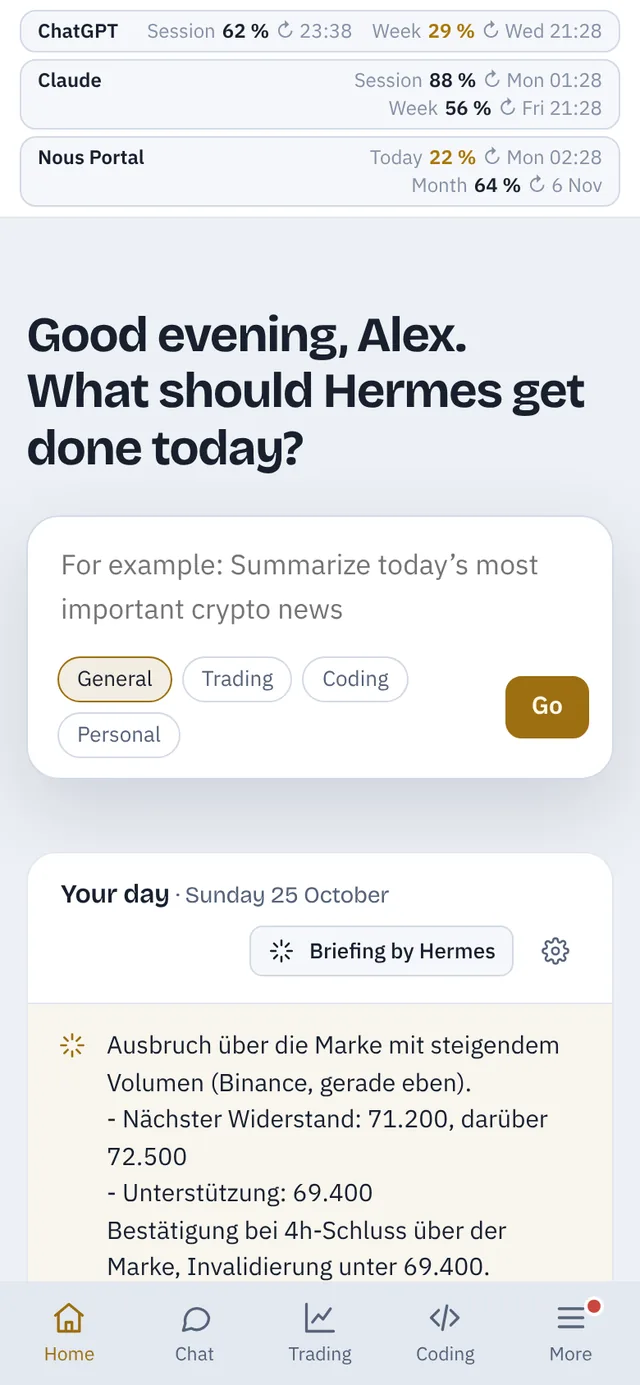
Kira’s home page: greeting, a prompt for Hermes and “Your day” with appointments, things waiting for you, market and subscription quota
Kira on a phone

Everything Hermes does for you, in one place.

Hermes Agent can do a lot – Kira keeps you on top of it and lets you steer what it does with a few clicks.

In the morning you know what’s coming.

“Your day” on the home page sums up what matters today. If you like, Hermes writes the briefing and sends it to your phone in the morning.

  • Appointments from Google Calendar – create, edit, delete; Hermes adds them when you ask
  • What Hermes gets done today and what’s waiting for you
  • Watchlist, next price alert, costs and quota
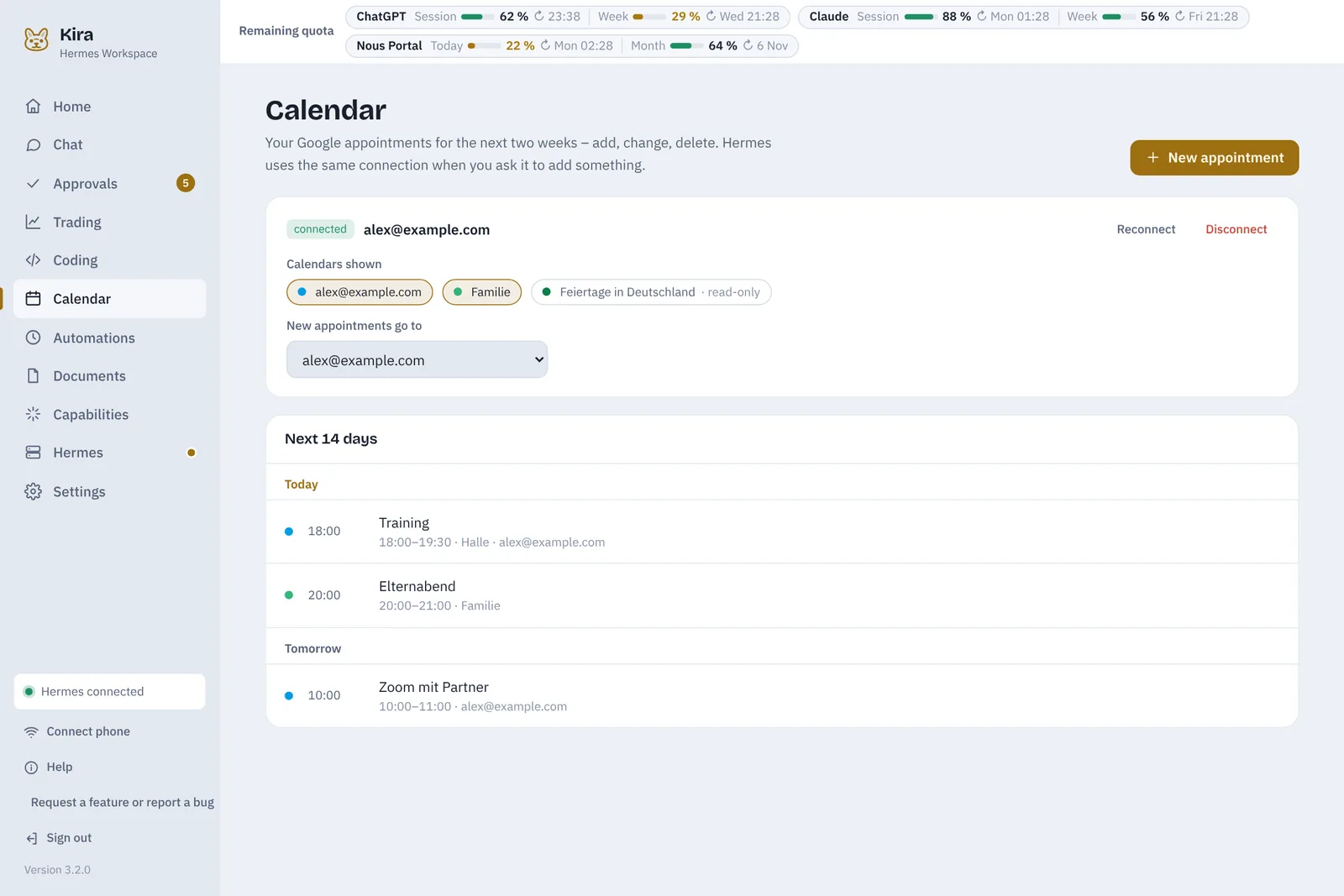
Calendar in Kira with a connected Google account and the next 14 days of appointments

Trading analysis by your own rules.

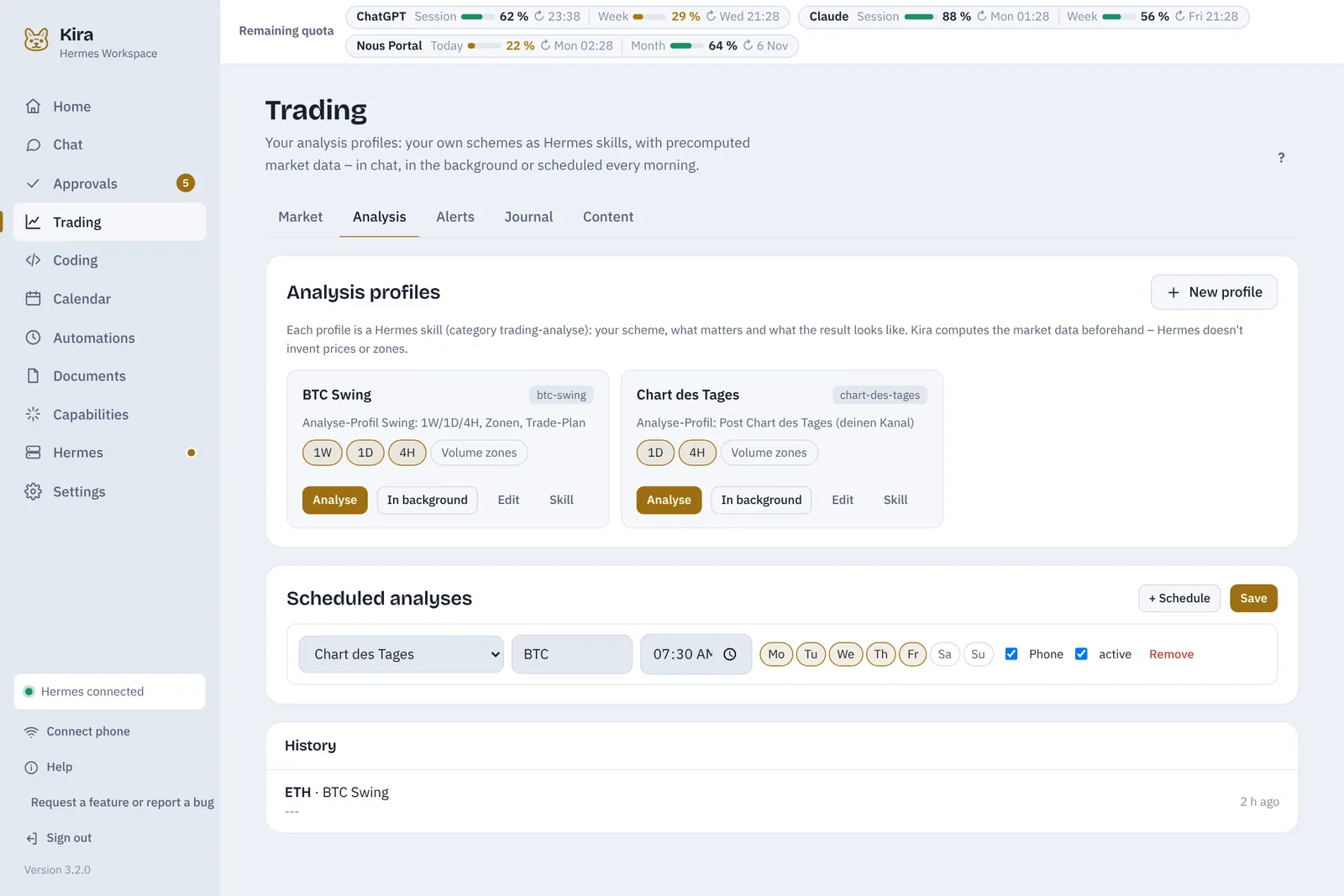
You decide what an analysis looks like – timeframes, what matters, your risk rules, the output format. Every analysis profile is a Hermes skill. Kira computes the market data first, so Hermes doesn’t make up prices or zones.

  • Market structure, EMA 21/50/200, RSI, ATR, volume profile, unfilled volume zones, funding and open interest
  • In chat, in the background or scheduled every morning – result to your phone
  • Price alerts, trading journal and content drafts for your channel

Kira analyses and reminds you – it doesn’t place orders.

Analysis profiles in Kira: BTC Swing and Chart of the day, with scheduled analyses below

A team that builds your projects.

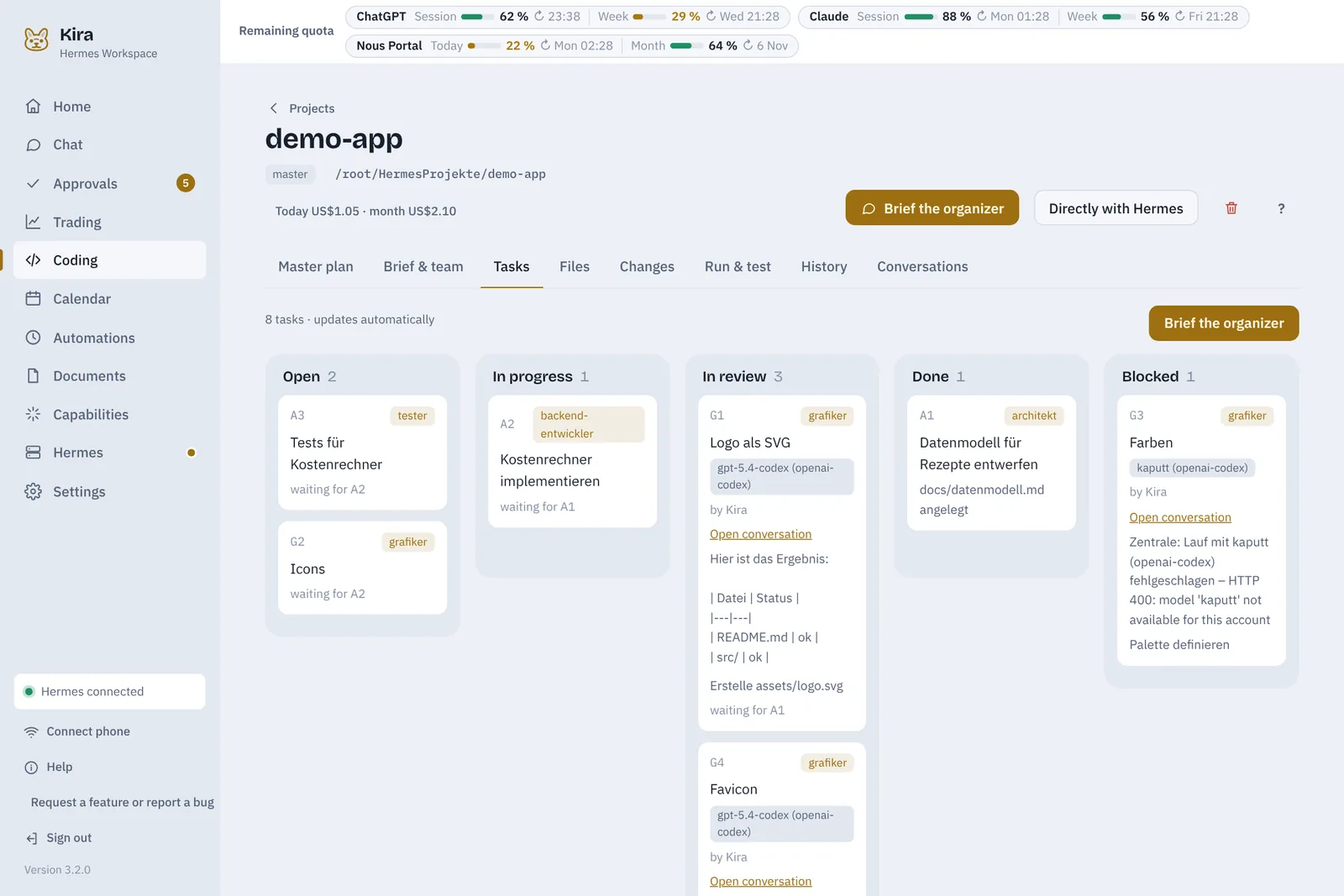
For coding projects Kira gives Hermes a team: an organiser drafts a master plan with you and hands the work to roles like architect, developer, tester and designer – each with its own model and reasoning effort if you like.

  • Milestones with sign-off: you decide when something is done
  • Thought of something later? The organizer adds it to the plan and Kira pushes the plan to GitHub
  • Shared rules for all projects (AGENTS.md) that the agents extend with what they learn – plus a check on GitHub on every push
  • Bugs and requests from GitHub issues: Kira reports them, the organizer adds them to the plan, every step is noted on the issue – closed after your sign-off with the release
  • Optionally one branch per milestone: GitHub checks the pull request, you sign off – Kira merges
  • Autopilot keeps going while your quota lasts
  • Files, changes, run & test and GitHub in one place
Task board of a coding project with the columns open, in progress, in review, done and blocked

You see how much of your subscriptions is left.

Sign Hermes in with the subscriptions you already have – ChatGPT, Claude, Copilot, Nous Portal and more. At the top of every page Kira shows how much of the current session and the week is left and when it resets.

  • The agents know their remaining quota and plan accordingly
  • When a limit is hit, Kira pauses and resumes after the reset
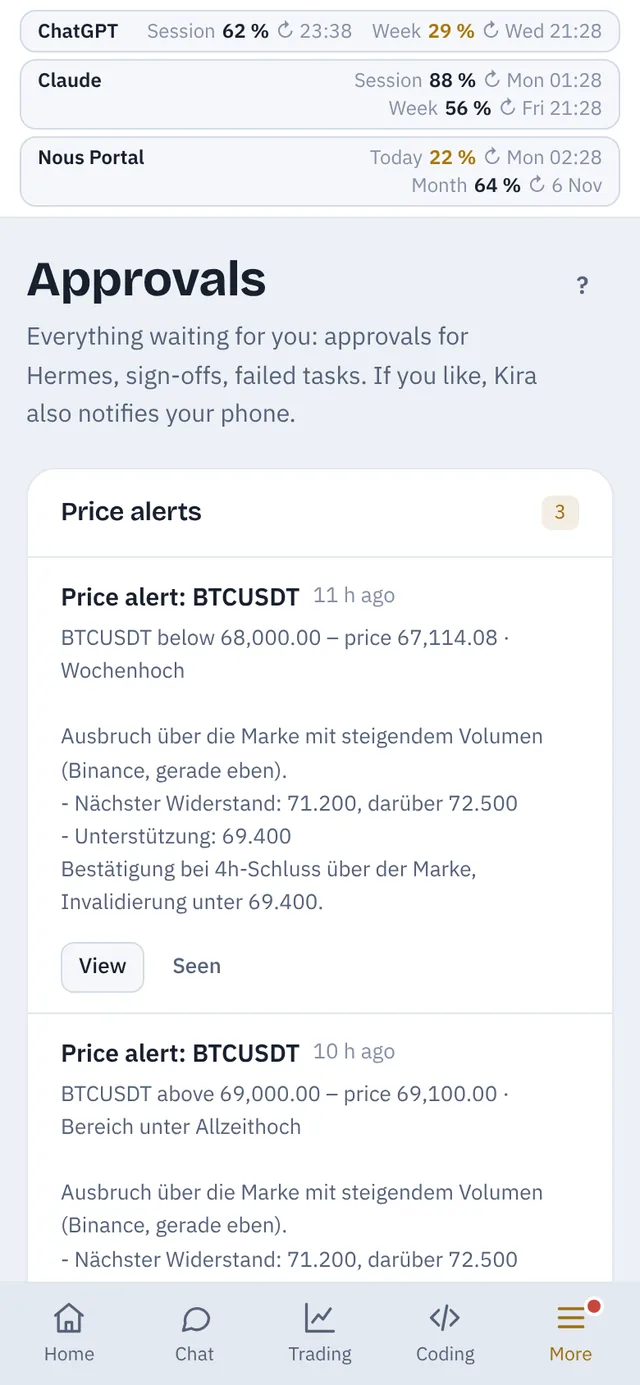
  • Approvals and notifications reach your phone
Remaining subscription quota at the top of the home page on a phone
Approvals on a phone with price alerts

Also included

Phone via QR code
Scan the code and you’re signed in. On the go via Tailscale.
Automations
Scheduled tasks and a board for everything Hermes should pick up later.
Documents
Drop bills and letters into the inbox – Hermes reads, names and files them.
Skills and memory
View and edit Hermes’ skills, plugins and memory.
Manage Hermes
Install, set up, start and update – no command line needed.
Backups and updates
Back up automatically, move to another PC; Kira updates itself.
German and English
Hermes replies in the language you choose.
Six colour schemes
Each in light and dark – or following your system.

What’s new in Kira

Kira is under active development. The current version is 3.7.0.

  1. 3.7.0One branch per milestone with a pull request – GitHub checks, you sign off, Kira merges
  2. 3.6.0Bugs and requests from GitHub issues – report, triage and close them traceably
  3. 3.5.0AGENTS.md as a template for all projects and checks on GitHub with results in Kira
  4. 3.4.0Groundwork for Kira to develop itself: project rules, test instance, automatic checks

Set up in a few minutes.

Kira brings what it needs. Hermes Agent doesn’t have to be installed yet – Kira can do that for you.

  1. Download

    Unpack the ZIP file, for example into your user folder. The download will appear here once Kira is out.

  2. Start

    On Windows Start.bat, on Linux ./start.sh. Python and everything else set themselves up on first start.

  3. Connect Hermes

    A checklist guides you: install Hermes, sign in with your AI subscription or API key, start the gateway.

  4. Add your phone

    Scan the QR code and add Kira to your home screen – it then opens like an app.

Runs at your place. Stays at your place.

Your machine, your Hermes

Kira and Hermes run on your PC or your own server. There is no Kira server your conversations go through.

Keys stay on the device

Credentials for GitHub, notifications and AI providers stay with you and are never sent to the browser.

Password protected

Access only after signing in, with a lockout after failed attempts. For remote access Kira recommends Tailscale instead of an open port.

A license that doesn’t phone home

The license key is signed and checked offline. Kira reports nothing to a license server.

Try it first, then decide.

Kira is made for private use: one installation, one person, one Hermes – on your home PC or your own server.

14 days

Try everything. After installing, every feature runs for two weeks without limits.

License

Single seat for private use. After that you enter a license key. Settings, backups and updates always stay available.

Price

Not set yet. How and where to get a license will be announced here at launch.

Questions and answers

What is Hermes Agent?

Hermes Agent is an open-source AI agent by Nous Research that runs on your own machine. It can use tools, remember things, schedule tasks and be reached via Telegram and other channels. Kira is the interface for it.

Do I need an AI subscription?

Hermes needs a language model. You can use a subscription you already have, such as ChatGPT, Claude, Copilot or Nous Portal, or enter an API key from a provider. You can combine several – one for coding and another for images, for example.

Which systems does Kira run on?

Windows 10 and 11, and Linux with Python 3.10 or newer – a mini PC, a Linux NAS or a rented server, for example. On Linux Kira can run as a service and starts again by itself after reboots. macOS hasn’t been tested yet. On your phone you use the browser.

Does Kira trade on its own?

No. Kira computes market data, Hermes analyses it by your rules, and you get alerts and reports. Kira doesn’t place orders. Analyses are not investment advice.

Can several people share one installation?

Kira is built as a single-seat system: one installation with its own Hermes and your own subscriptions. Anyone who wants to use Kira sets up their own installation.

When can I download Kira?

As soon as it’s ready. The download and updates will then be available on this page.

Is Kira part of Nous Research?

No. Kira is an independent project and not affiliated with Nous Research. Kira uses Hermes Agent as it is – through its API and its command line.